Introducing House Style: Finance-Grade Formatting, Built In
Finance-grade formatting conventions applied to every workbook by default
por Compound Team · 7 de julio de 2026 · 2 min de lectura
Open a workbook an AI generated and you can usually tell.
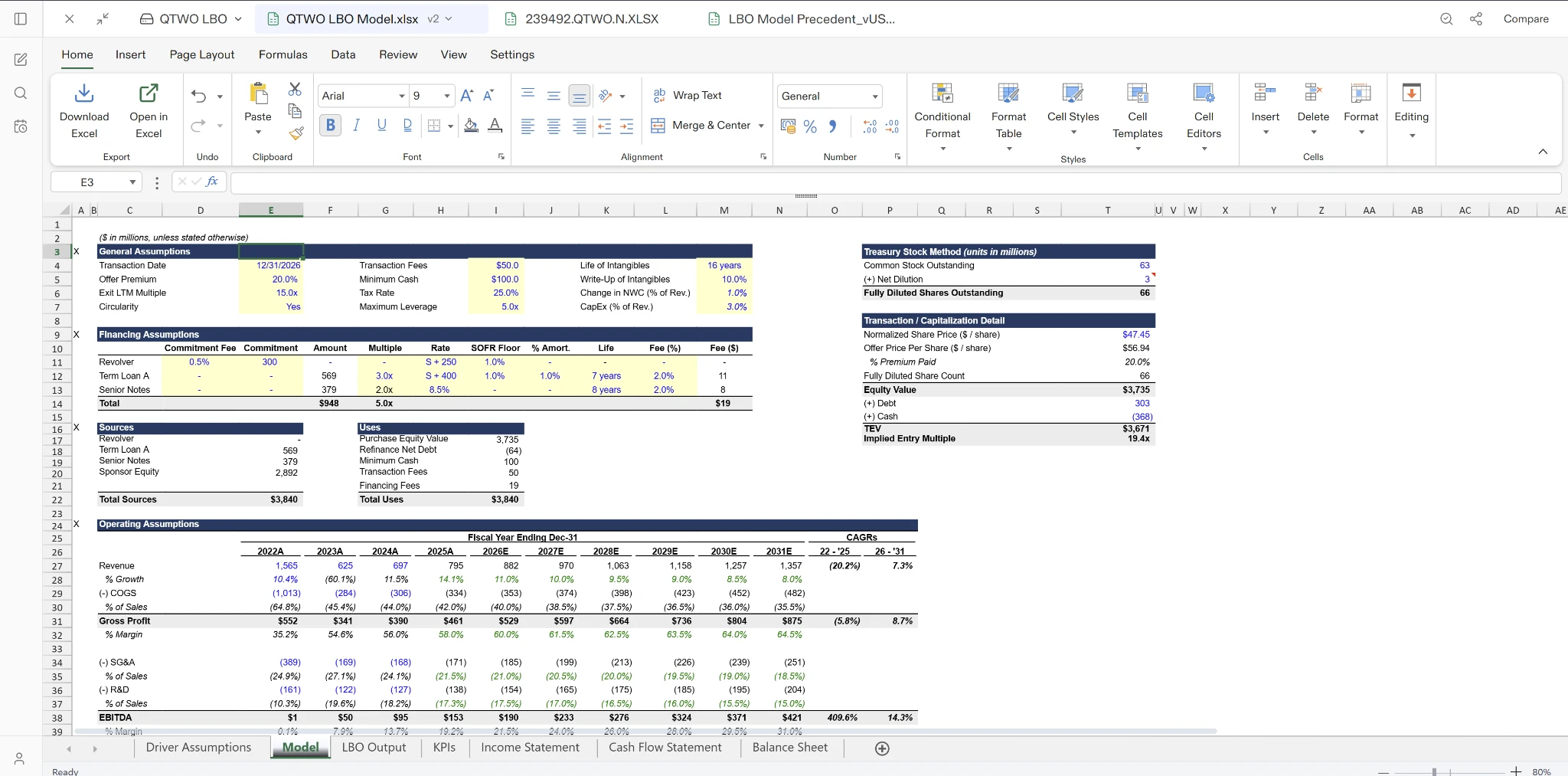
The numbers might be right, but the workbook doesn’t read like one an analyst built. Inputs, formulas, and links aren’t clearly distinguished. Number formats are inconsistent. Totals don’t stand out. Before you can share it, you end up applying the formatting conventions your team expects.
In finance, formatting is just as important as the numbers themselves. A blue cell signals an input. Parentheses indicate a negative number. A section header tells you where a new part of the analysis begins. Good formatting makes a workbook easier to understand, review, and audit.
Today, we’re introducing House Style.
Every workbook Compound builds or edits now follows the conventions investment teams already expect.
Formatting that carries meaning
House Style applies the visual conventions finance teams rely on every day. Inputs, formulas, and links are clearly distinguished. Section headers and totals stand out. Number formats are applied consistently, from percentages and margins to negatives and thousands separators.
The result is a workbook that’s easier to navigate and easier to review.
A sensible default
Whether Compound builds a three-statement model, an LBO, or a comps analysis, every workbook follows the same formatting standard.
Outputs from completely different tasks look like they came from the same analyst, not different AI prompts.
Works with your standards
House Style is the default when no template or formatting instructions are provided.
If you give Compound a precedent model, firm template, or explicit formatting instructions, it follows those instead. When working with an existing workbook, Compound preserves the conventions already in place rather than replacing them.